How to Set Up EQ on Your Car Audio System?
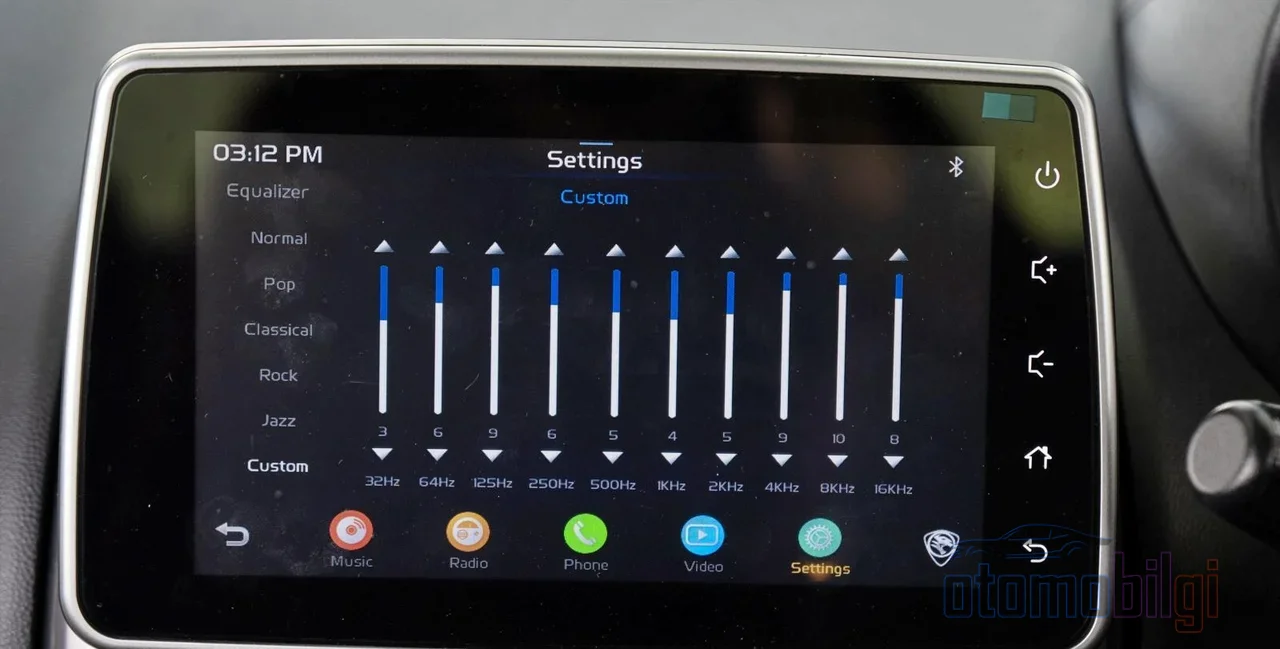
I'll say it straightforwardly: the sound system in your car is very likely far more capable than you think. The problem isn't the system, it's the settings. A driver who never even opens the equalizer menu and listens with whatever came from the factory has no idea of the potential sitting under their seat. In this article, I'll explain step by step, with concrete examples, how to set the EQ in a car sound system - and in the end you'll have a sound where your own ears rule.
Just imagine: the same song, the same speakers, but two different settings. One is hot chocolate sipped in a chalet, the other is water from the microwave. The difference is that clear. What's more, this job doesn't require expensive equipment - just a few minutes of your time and a solid pair of ears. If you're ready, let's begin.
Equalizer, Fader and Time Delay: What Does This Trio Do?
First let's sharpen our vocabulary, then we'll get into the tangible work. Because three key players will appear as you navigate the menu, and adjusting things without knowing what each one does is like turning the steering wheel without looking at a map.
The equalizer (EQ) is the control panel that lets you cut or boost different frequency bands of the music individually. It can have 5 bands, 7 bands, or 31 bands - as the number of bands increases, so does the precision of control. Keep these frequencies in mind: 20-250 Hz is the bass region (that deep rumble you feel in your chest), 250 Hz-4 kHz is the midrange (vocals, guitar, melodic instruments) and 4-20 kHz is the treble region (brightness, detail, cymbals). If you want a finer breakdown: 20-60 Hz is sub-bass power, 60-250 Hz is kick drum and bass guitar warmth, 250 Hz-1 kHz is vocal clarity, 1-4 kHz is detail and sharpness, 4-8 kHz is brightness, and 8-20 kHz is the very top detail that adds "air" to the music.
The fader and balance determine the direction of the sound: the fader distributes it front-to-back, balance left-to-right. The time delay (time alignment) is the magical part of the whole affair - I'll devote a separate section to it below, because when set correctly, it's a feature that truly enchants the sound stage.
Why Are the Factory "Pop / Rock / Classical" Presets So Often a Disappointment?
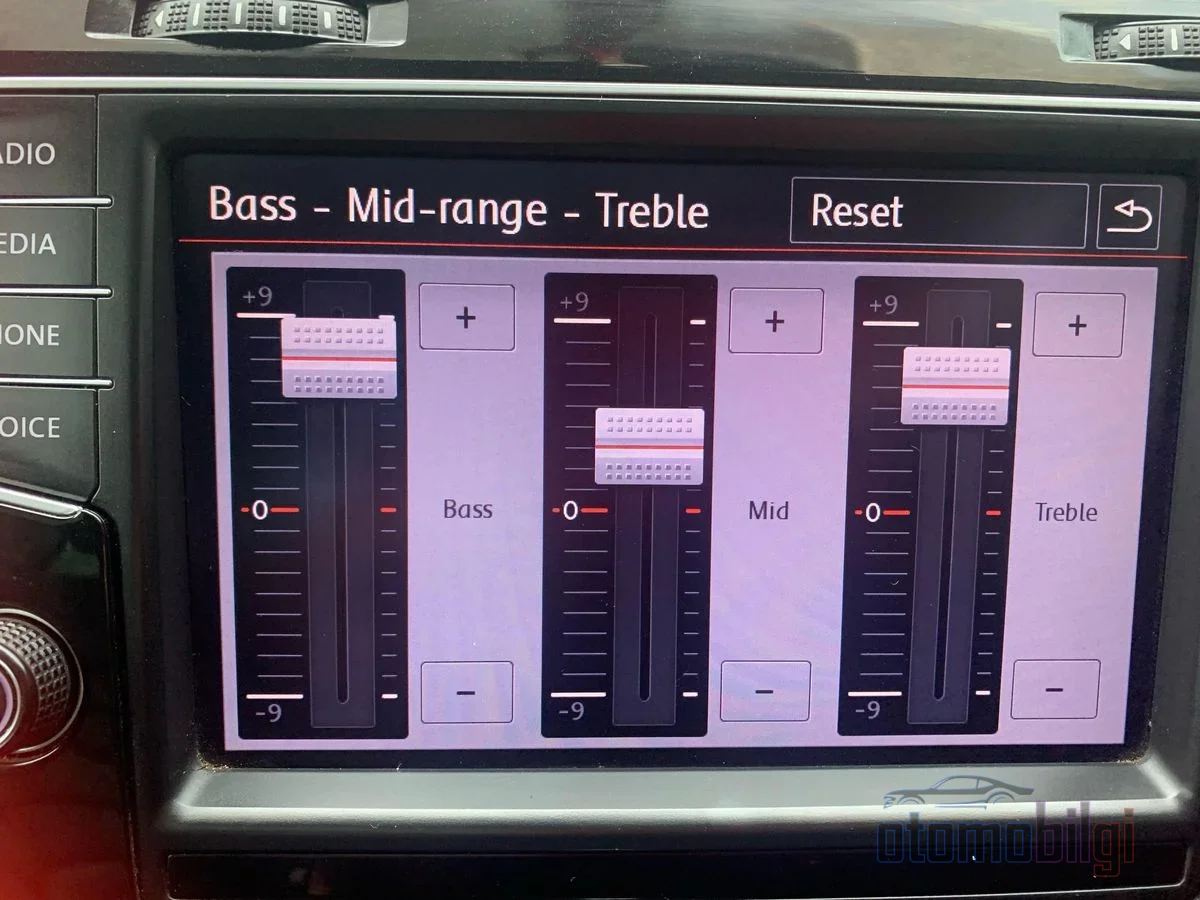
Let's take a look at those sleek preset names in the menu: Pop, Rock, Classical, Jazz... Sounds great, doesn't it? But in reality, these ready-made presets know nothing about your car's interior acoustics. Every cabin has its own sound reverberation - a small hatchback and a large SUV won't give the same result with the same settings. So what you suppress and what you emphasize is determined by your own ear preference just as much as the cabin's sound character. Presets can't know either of these; that's why they mostly produce a result that's either muffled or shrill.
Key Takeaways
- Always start your EQ setup with a flat beginning where all bands are at zero.
- Small adjustments like +3 dB for bass and +1 to +2 dB for treble are usually enough.
- Every +3 dB increase roughly doubles the sound - distortion included.
- The most common starting point for the subwoofer crossover is 80 Hz.
- Turn off loudness, surround, and bass boost while making adjustments so you can hear the true tone.
Step-by-Step EQ Setup: Your Own Sound from Scratch
Now it's time to roll up your sleeves. Open the sound settings menu on your car's multimedia system and follow the order below. Don't rush; listen to a track at each step and make your decision.
- Start flat. Reset all EQ bands to zero. This neutral starting point lets you truly hear what you're changing. By the way, if loudness, surround modes, and bass boost are on, turn them off - they're just makeup that masks the true tone.
- Touch the bass first. Make a slight boost in the 60-120 Hz range. But be careful: excessive bass boost causes distortion and also suppresses the mids. Think of bass like a flashlight in a dark room - turn it up too much and it blinds everything, turn it down too low and you see nothing.
- Balance the mids. Too much midrange gives a "boxy" sound; too little midrange leaves the music hollow. Fine-tune until you find the point where vocals sit naturally.
- Final touch on the treble. Raise 4-10 kHz slightly so the details open up; but pull back the moment it starts getting harsh. Screechy treble is the fastest thing to fatigue your ears on a long drive.
- Test with different genres. Listen with hip-hop, rock, acoustic, and electronic tracks. Having your setup sound "eh, not bad" across four genres is more valuable than being perfect in one.
- Proceed in small steps and choose reference tracks you know well. If possible, save two profiles: one for solo driving, one for the full cabin.
Sample Starting Values: A Roadmap in Numbers
"So how much should I boost?" you ask - I know. Here's a solid starting point for you. Let's start with a simple three-control (bass / mid / treble) factory system: about +3 dB for bass, zero (flat) for mids, and +1 to +2 dB for treble. For a more detailed EQ, the following distribution is a good starting point: +3 dB at 60 Hz, +1 dB at 250 Hz, flat at 1 kHz, +2 dB at 4 kHz.
You can also shape these values according to your taste in music:
- Bass lovers: give a moderate boost to 60-100 Hz, cut 250 Hz slightly (prevents muddy pressure), keep the mids neutral, lightly touch the treble around ~8 kHz.
- Vocal clarity seekers: keep the 60 Hz bass low, raise 1-2 kHz, and give the treble a slight touch.
- Rock and metal listeners: bass boost for the kick, 2-4 kHz presence for the guitars, ~6 kHz treble increase for the cymbals.
| Listening preference | Bass (60-100 Hz) | Mid (1-2 kHz) | Treble (4-10 kHz) |
|---|---|---|---|
| Balanced start | +3 dB | Flat (0) | +1 to +2 dB |
| Bass-heavy | Moderate boost | Neutral | Slight (~8 kHz) |
| Vocal-focused | Keep low | Boost | Slightly raise |
| Rock / metal | Boost for the kick | 2-4 kHz presence | ~6 kHz cymbal brightness |
And there's one golden rule - never forget it: every +3 dB EQ increase roughly doubles the sound - distortion included. So aggressive bass boosts of +10 usually produce nothing but disappointment. The reliable approach is to cut instead of boost and proceed in small steps. Remember, no EQ can fix a low-quality MP3; your source music matters as much as your settings.
Should the Sound Be Balanced to the Driver or the Whole Cabin?
Here's the question everyone debates but no one has definitively solved. In a car cabin, the driver sits at an asymmetric distance from the speakers, closer than anyone else: the speaker in the left door is right next to your ear, the one on the right a meter away. The result? The sound image shifts to the left, as if the entire orchestra is playing on top of the steering wheel.
In practice, there are two schools of thought. One advocates fading toward the front so the music gives a "front stage" feel - the rear speakers should only provide support, with the main stage set up in front of you. The other looks at the use case: if you're listening alone, pulling the balance slightly toward the driver's side, and keeping it centered when the cabin is full, makes sense. In other words, Friday night alone on the way home from work and a long trip with the family don't deserve the same setting. That's exactly why you should save two profiles.
Time Delay Setting: Centering the Sound Stage
If your system has a time alignment setting, you've hit the jackpot. This feature adds millisecond-level delays to the speakers closer to you, ensuring the sound from every speaker reaches the listening position at the same time. The goal is to correct the left-shifted sound and create a perfectly centered sound stage - in the end, the vocalist sings as if standing in the middle of the hood.
The setup method is physics itself: measure the distance from each speaker to your listening position (where your head is). Take the speaker farthest from your ear as the reference, and enter the delay values for the others relative to it. This can be done with even a one-meter measuring tape; although some systems calculate time delay automatically, knowing the logic always comes in handy. The delay value effectively changes the speaker's perceived position - the more accurate the measurement, the more settled the stage.
Subwoofer and Crossover Setting: The Heart of the Bass
If your system has a subwoofer, setting the crossover correctly is half the battle for clean bass. The most common starting point is 80 Hz; the 80-100 Hz band generally gives a satisfying result. The best value depends on the lower range of your main speakers and the cabin's acoustics - so start at 80 Hz and experiment in 10-15 Hz steps. The crossover's cutoff point is usually where the sound drops by -3 dB; that is, it's not where the cut fully begins, it leaves a soft transition behind.
The basic principle is this: the crossover slope and frequencies should be set so the speakers can produce distortion-free, clear bass. The main speakers shouldn't have to struggle with frequencies they can't handle anyway; the subwoofer should be powerful enough to cover its own zone. Setting it too low, on the other hand, can cause a loss of detail in the music - proceed carefully.
Five Mistakes Everyone Makes (And Fine-Tuning By Car Type)
In short, let's lift some weights: excessive bass boost causes distortion and muddies the mids; neglected mids push vocals to the back; too much treble makes the sound sharp and fatiguing; ignoring cabin acoustics wastes all your effort; and poor source files can never be rescued with EQ. These five mistakes can turn every minute spent in the settings menu to waste.
Your vehicle's body type also comes into play: in small cars, the bass can feel overly dominant, so low frequencies need to be reduced a bit; in SUVs, the large cabin absorbs bass, so a low-frequency boost is essential; while in pickups, midrange settings are decisive for clarity. So the "best EQ settings" list you see online may not work in your car - your ears and your cabin have the final say.
In short: Which EQ Setting Is Best?
Let me give you the direct answer, because you deserve it: there is no single universal "best" EQ setting; always start flat, move forward in small steps according to your ears, and test with different genres. When you add time delay and the correct fader setting to this principle, your sound improves significantly without adding a single speaker. The brand doesn't matter: going into the system menu and playing with a few settings for a few minutes reveals details most people have been missing for years. On your next long drive, an instrument in a familiar song you've never heard before will surprise you - that moment will be the payoff for the minutes you spent today.
Sources
- Everything You Need to Know About Car Audio Equalizer Settings
- Best Car Audio EQ Settings (2026): Bass, Mid & Treble Guide
- Car Audio Time Alignment: Complete Setup Guide
- Car Audio Time Alignment Explained: The 2026 Pro Tuning Guide
- Time Alignment Part 1
- Best Equalizer Settings for Car & 5 Common Mistakes to Avoid
- How to Optimize Your Car's Sound System for Podcasts and Audiobooks
- JBL Car Audio Installation Tips: Setting Crossover