Can Two Phones Be Connected to a Car at the Same Time?
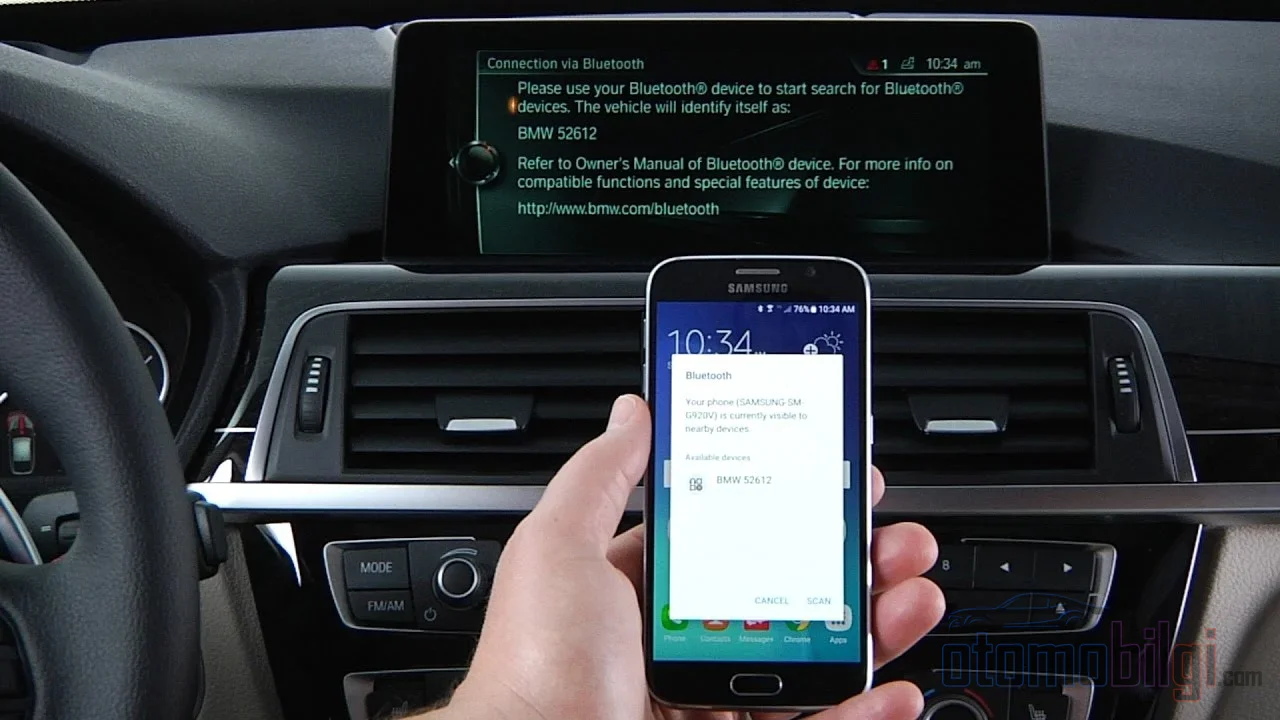
Let's set the scene: You and a friend are in the car. Both of your phones are in your pockets, both are on, and both have previously been paired with this vehicle. The moment you turn the ignition, which one will the multimedia screen choose? Which phone's music will pour out of the speakers, and whose calls will be answered with the buttons on the steering wheel? And the question everyone really wonders about: do two phones connect to the car at the same time, or does the system pick one and leave the other out in the cold? The answer isn't as short as you might think, but that's exactly why it's fun.
The short version is tucked away right here: On the Bluetooth side, things are usually smooth sailing, but on the screen mirroring side there is only one seat, and only one phone can sit in it. Let me explain step by step why it works this way, how each brand behaves, and how things play out in practice in a two-person car.
Two phones over Bluetooth: yes, most systems allow it
Let's start with the good news. Most modern multimedia systems can keep two, or even more, phones connected via Bluetooth at the same time. Ford SYNC and the new Ford Digital Experience even have a name for it: Dual Phone, meaning dual phone mode. You first pair the two devices one by one, and then this mode activates. Of course, there are a few conditions: during pairing, both phones must have Bluetooth turned on, the vehicle must be in P, and the engine must be running or in accessory mode.
Ford isn't alone in this. Honda's HandsFreeLink system allows pairing of up to 6 phones in the 2026 Passport and Ridgeline, and you can switch the active phone whenever you want. INFINITI supports up to 5 phones with its Multiple Device Pairing feature. On the Chevrolet and GM side, you can choose a default phone among multiple paired phones; you decide which one connects first when the car starts. Hyundai also allows you to quickly change the connection priority from the settings.
Highlights
- Two phones can connect via Bluetooth at the same time; Ford's Dual Phone mode, and Honda supporting pairing of up to 6 phones
- CarPlay and Android Auto can work with only one phone at a time, this is a technical limit
- While one phone is mirrored on the screen, the second phone stays on Bluetooth, and it becomes possible to answer an incoming call from the car
- The default phone and priority settings are selected from the Bluetooth settings in most brands
- Wireless switching can be problematic in practice; the most reliable method is to turn off the unwanted phone's Wi-Fi and Bluetooth
When two phones are connected, who gets priority for audio and calls?
If both phones are connected, the rulebook part of the story begins, and this varies from brand to brand. In Ford, the system distinguishes between a primary and a secondary phone: functions like messaging and the voice assistant work only on the primary phone. As for the second phone's music, you can listen to it, but with one condition: you need to manually select the second phone as the media source.
Toyota offers an official way to split the functions in two: it is possible to connect one phone handsfree, i.e. for wireless calls, and the other via Bluetooth media, i.e. for music. So in theory, phone A can manage calls while music plays from phone B. If you are using a fairly old or basic head unit, there is a similar trick too: configuring one of the phone's own Bluetooth settings for calls only, and the other for media only.
But the limit is real. The experience of Lincoln owners shows this: even if a second phone is connected for music, only one phone can make and receive calls. When two devices request the same audio function, the system has to decide which connection gets priority, and this can create confusing moments for the user. So having a dual connection does not mean every function opens up to both phones; ownership of the audio channel usually stays with a single one.
Can two phones use CarPlay or Android Auto at the same time?
From this point on, it is bad news, but there is a good technical reason for it. The answer is clear: no. Screen mirroring, whether Apple CarPlay or Android Auto, works with only one phone at a time. Ford explicitly states this in its feature tables; it is marked as CarPlay and Android Auto not available for the second phone.
What is the technical reason for this?
The cause is not rudeness, it is something like physics. CarPlay activates USB host mode on the phone, and a peripheral can connect to only one host at a time. That is why only one iPhone CarPlay session can be open on the screen at a time. Apple's own approach points in the same direction: CarPlay supports only a single device connection at a time, and the existing connection must be disconnected to switch to another phone. An iPhone can be paired with multiple vehicles, but control stays with a single phone at any given time.
Is the situation different on the Android Auto side? No. The experiences of Chevy Bolt owners confirm this too: multiple phones can be set up for Android Auto in the vehicle, but in reality only one can open a session at a time. The response from Google's Android Auto support team also draws a clear framework: Android Auto and CarPlay were designed to work on their own, and how to manage calls when two devices interfere at the same time is undefined.
So what is the second phone doing at that moment?
Here is the nice part of the story: while one phone is connected to CarPlay or Android Auto, the second phone can stay connected via Bluetooth. And when that phone rings, i.e. when a call comes in, you can answer the call from the vehicle interface. A practical scenario described by an Equinox owner is exactly this: while the screen is on the driver's phone, the passenger's phone waits on Bluetooth and the call is answered from the vehicle when it comes in. So even though there is only one player on the screen, the second phone can take the stage in the world of audio and calls; how much of this will work depends more on the head unit itself than on Android Auto.
Switching between phones: easy or a headache?
This is where the gap between theory and practice opens up. In a two-iPhone scenario, the system usually remembers and connects to the phone it last connected to; the switch takes about 10 seconds. But triggering this switch is not always easy.
The most practical and universal method is this: The easiest way to connect CarPlay to another phone is to turn off the Wi-Fi and Bluetooth of the unwanted phone. When the system loses the current connection, it turns to the other phone. There are also brand-specific tricks: According to Toyota, while wireless Android Auto is running, a second phone can connect via USB cable and charging starts on that phone without the Android Auto session being interrupted. In other words, when the passenger's phone is plugged in via cable, the session on the screen remains in the driver's hands.
Do wireless adapters make things easier?
Partially. Wireless Android Auto adapters like AAWireless can recognize multiple phones; but again only one of them can start and control Android Auto, only the switching gets easier. The new-generation AAWireless TWO offers one-touch phone switching and a standby mode. But real user experiences on the forums suggest being cautious: Subaru Ascent owners report that when both phones are in the car and turned on, no action can force Android Auto to switch phones; Toyota owners describe the adapter as flawless for a single user, and switching to another phone as a big headache. So while the adapter promises multi-phone support, in real life switching is not always smooth.
How each brand behaves: a quick comparison
| Brand / System | Multi-phone behavior |
|---|---|
| Ford SYNC / Digital Experience | Dual Phone mode; if media is selected on the second phone, CarPlay/Android Auto remains only on the primary phone |
| Honda (2026 Passport, Ridgeline) | Pairing with up to 6 phones, the active phone can be switched and priorities can be set |
| INFINITI | Supports pairing with up to 5 phones |
| Toyota | One phone can connect for handsfree, the other for media; while a wireless session is running, a second phone can charge via USB |
| Hyundai / Genesis | Connection priority can be changed quickly; in Genesis, audio swapping between connected devices is easy |
| Chevrolet / GM | A default phone can be selected and priorities can be set |
As can be seen, the common ground is this: they are generous with pairing, but selective about simultaneous use. The multi-phone philosophy is similar in the vehicles' own embedded systems; even in systems running Android on the vehicle side, simultaneous handsfree connection of devices such as a personal and a work phone is supported, while the mirroring session remains limited to a single phone.
What to do if it won't connect: a step-by-step solution
If the second phone just won't connect, no need to panic - there is a classic and effective roadmap:
- Disconnect both phones from the phone list and reconnect the primary phone first.
- Select the second phone manually from the list and check that the Dual Phone setting is turned on.
- If the problem persists, forget the vehicle from both phones, delete the vehicle from the phone side as well, and start the pairing process from scratch.
These three steps are the standard recipe recommended by major automakers on their own support pages, and they resolve most connection issues.
The short answer: Can two phones connect to the car at the same time?
Yes, they can; but their capabilities are split. Two phones can connect to the vehicle's Bluetooth at the same time; the second phone can play music or answer an incoming Bluetooth call from the car. However, the CarPlay and Android Auto screen serves only one phone at a time; the second phone stays on the Bluetooth side and earns screen time only by switching the connection. Which phone does what depends on the vehicle's brand and multimedia system.
My practical advice is this: In regular two-person use, set the default phone to the person who makes the most calls, choose the music lover's phone as the media source, and when you need to change the screen order, use the cleanest method, which is briefly turning off the other phone's Wi-Fi and Bluetooth. With a small habit, a two-phone vehicle can work exactly the way you want.
Sources
- How do I pair two phones with SYNC or Ford Digital Experience? - Ford Support
- How to Prioritize Paired Phones - 2026 Honda Passport - Honda Info Center
- Can I connect one of my phones for Bluetooth handsfree and the other for Bluetooth media - Toyota Support
- Will the current Android Auto wireless connection continue - Toyota Support
- Using two different phones - Android Auto Community
- How To Use Two Phones at the Same Time - EquinoxEVForum
- How to switch between two phones on CarPlay - Engadget
- Can you have two phones connected to car Bluetooth - LincolnForums
- Connect Two Phones to Car Bluetooth - Witson