Watching Videos in the Car While Parked: How Does It Work?
Share This Page
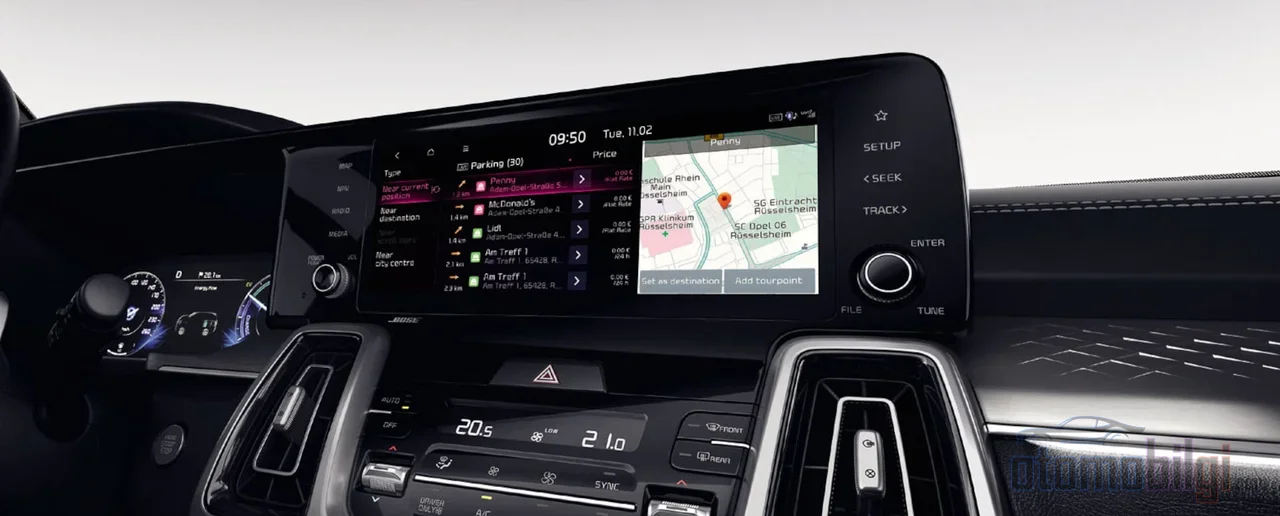
Watching videos on the vehicle's screen while the car is parked is made possible by a dual-locked safety mechanism: the vehicle's multimedia system verifies that the gear is in Park, and then the phone's GPS and motion sensors also detect movement. The moment the vehicle starts moving, playback stops automatically. So this is not a hack or an exemption; it is a feature that, by design, works only in a stationary vehicle.
Highlights
- Park mode video in CarPlay officially arrived with iOS 18; iPhone 12 and later, iOS 18.5+ and the vehicle needs AirPlay video support.
- Android Auto beta has YouTube and Netflix while parked, streaming at up to 60 fps is being tested.
- Streaming in HD quality uses roughly 1.5-2.5 GB per hour, while a single movie in 4K can reach 7 GB.
- If the screen resolution is below 1920x1080 , CarPlay video mirroring may not work.
- Bypassing the video lock while driving is both against the law and puts your insurance at risk.
How Exactly Does Park Mode Video Work?
When you think about the logic, it is actually very simple: the system does not allow video unless it is sure the vehicle is truly stationary. The steps in Android Auto's beta version summarize this chain nicely. First a context check is performed; it is verified that the gear is in Park and the driver's seat belt is fastened. Then a one-time permission dialog appears. Video is rendered on a separate, sandboxed surface so that it does not interfere with critical vehicle functions; audio is routed to the vehicle speakers or Bluetooth. When the engine is started or the vehicle moves, playback pauses instantly.
On the Apple side, the setup is similar but even more layered. When the iPhone detects via GPS and motion sensors that the vehicle is moving, it stops the video itself. In other words, the lock exists not only in the vehicle's software but also in your phone. You can think of it like a safe: one lock is on the car door, and the other is a second lock inside your phone. According to Apple's own explanation, if the vehicle does not allow video playback, the video silently drops to audio mode.
Which Systems Have It Built In?
Apple CarPlay side
iOS 18 brought video playback in Park to CarPlay as an official feature. It transfers content from the iPhone to the vehicle's CarPlay screen via AirPlay. The requirements are clear: an iPhone 12 or newer, iOS 18.5 or later, and a vehicle system that supports AirPlay video. But the crucial point is this: Apple has left this feature up to the manufacturer. If automakers do not enable it in their own systems, the feature never opens, and by the end of 2025 almost no major manufacturer had announced support. In subsequent iOS versions as well, video remained limited to a parked vehicle; the moment the car moved, playback was automatically suspended.
Android Auto side
Things are a bit more dynamic on Android Auto. With the beta update in February 2026, built-in video streaming while parked opened up for trial, and according to the latest status reported by Yahoo Autos, YouTube and Netflix appear on the screen at up to 60 fps but only while parked. Under the beta, YouTube runs in full screen with adaptive bitrate, while Netflix can only play selected content due to DRM restrictions. Spotify Video, Google Photos, and third-party services that add the video flag are also on the list. There is another threshold to watch out for: the phone must run at least Android 16 for the video apps to work.
When talking about the built-in ecosystem, Tesla cannot be skipped. Tesla's Theater app offers services like Netflix, YouTube, and Hulu while parked; when the gear is shifted to drive, built-in motion sensors automatically end the content. So the system that offers the parked-mode video idea in its most mature form today is still Tesla.
Why Does It Stay Locked While in Motion?
The short answer: both the law and painful experience. Most US states explicitly prohibit watching video on a screen within the driver's field of view while in motion, with penalties ranging from fines to license suspension. The safety figures also justify the lock: in 2023, 3,275 people lost their lives in distraction-related accidents; the crash risk for drivers handling phones is two to six times higher.
It is not only the law that imposes the lock; hardware also puts it in place. Most factory front screens block video the moment the gear leaves the park position, but access to navigation and climate control remains open. This lock is usually based on handbrake detection and vehicle speed sensor data; once the vehicle exceeds about 8 km/h (5 mph), many functions lock. Nor is the lock unique to a single brand; the same logic works in many makes and models, including Toyota.
What about the passenger? This is exactly where the legal gray area lies. Regulations mostly target the driver watching, but since there is a single central screen, it is hard to separate the driver from the passenger. Technically the passenger could watch video, but because it appears on the main screen, it is not legal while in motion. The safest options are rear seat screens or headrest tablets. One more warning: insurers may exclude damages arising from driver distraction caused by video from coverage. On the other hand, while parked - that is, with the gear in park and the vehicle completely stationary - there is no obstacle to watching video in most jurisdictions; this is precisely why it is a very sensible use case for EV owners waiting at a charging station.
How Do Screen and Hardware Differences Affect the Experience?
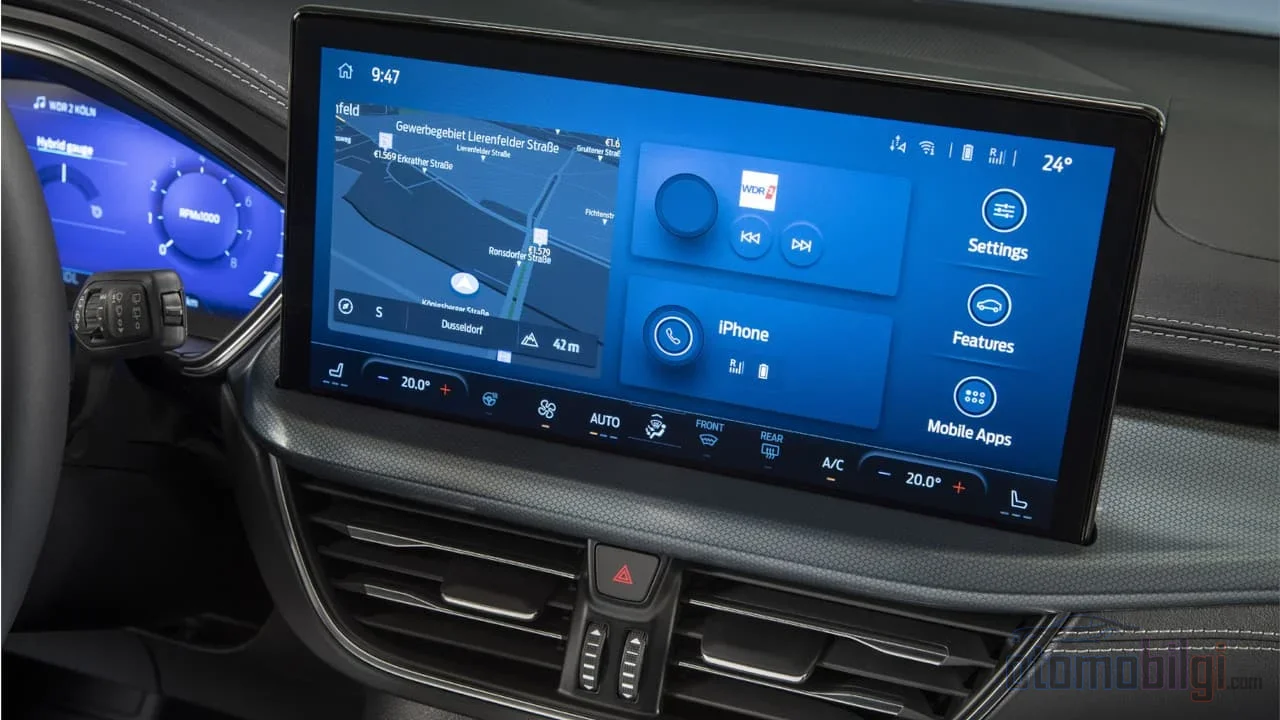
For a good video experience, the real deciding factor is the car's screen. Video mirroring in CarPlay turns out to work properly on displays with at least 1920×1080 resolution, and unfortunately many factory head units don't provide that resolution. The good news: in most cases a new iOS version on your iPhone is enough; you don't need to buy a new head unit, as the car's existing screen is used.
Android Auto's beta video, on the other hand, is optimized for 720p on screen; playing 1080p content on older head units can create scaling artifacts. Adaptive bitrate reduces buffering, so the image stays quite smooth. Let's summarize the main factors affecting audio and video quality:
- Screen resolution: On the CarPlay side there is a 1080p threshold; on displays below it, mirroring may not work.
- Frame rate: Android Auto beta supports up to 60 fps; frame drops can occur on older units.
- DRM support: On services like Netflix, only selected content plays.
- Connection type: In adapter-based solutions, wired USB performs noticeably better than wireless connection.
No Built-In Video? Adapters and Other Routes
If your car has no built-in support, there are a few options on the market, but each comes at a different cost. Screen mirroring adapters are the cheapest-looking option; however, they come with a 1-2 second audio-video sync delay, occasional frame rate issues, and touch latency. Android-based AI Box adapters (such as Carlinkit, OneCarStereo, Ottocast) offer lower latency than mirroring and access to Google Play; but boot times range between 14 and 41 seconds, and a 20-40% performance difference has been measured for YouTube among apps. There is also a practical obstacle: newer cars that only offer wireless CarPlay lack the wired USB connection these boxes require. Aftermarket 7-9 inch displays, meanwhile, feel the most comfortable in terms of experience.
On the iPhone side there is also the jailbreak route: tweaks like CarBridge and NGXPlay carry apps into CarPlay at native quality. But the other side of the coin has roughly three drawbacks: working jailbreaks are mostly stuck between iOS 14 and 16.7.7, it voids Apple's warranty, and the DRM protection of services like Netflix still blocks the way. Let's add that adapters connecting via USB generally don't void the car warranty; the real big risk isn't there, it's on the insurance side. Attempts to bypass the lock while driving are both illegal and dangerous; moreover, cheap Android units frequently make mistakes in these bypass attempts.
Data Consumption: How Many GB Does a Movie Eat?
The real cost of park mode video is your data plan. The simple rule is this: as quality increases, the data streamed per second increases. Streaming in SD quality uses roughly 0.7–1 GB per hour, and HD quality uses 1.5–2.5 GB. On the 4K side things get serious: with a 15 Mbps stream, hourly consumption can exceed 6 GB, while a 6–8 Mbps stream can reach 8–10 GB and beyond over a long session. A two-hour 4K movie means roughly 7 GB. In short, if you don't have an unlimited plan, a cartoon marathon in 4K can shake up your bill.
| Video quality | Hourly data consumption |
|---|---|
| SD | 0.7–1 GB |
| HD | 1.5–2.5 GB |
| 4K (15 Mbps stream) | Over 6 GB |
| 4K (6–8 Mbps stream) | 8–10 GB+ in a long session |
The desired setup on the connection side is clear: a stable 4G/5G signal or a Wi-Fi hotspot. Thanks to adaptive bitrate, buffering times are shortened. One practical tip: due to high power consumption, it is recommended to keep the engine running while watching video; otherwise the battery ends the fun before you do.
What to Expect in Real-World Use?
To be honest, park mode video is still in its infancy. Apple's solution is under very tight control and isn't very functional without manufacturer approval; Android Auto is more open to third-party apps, but the restrictions that come with beta are strict, and some reviews even say the experience isn't worth the trouble. There are signals that Hyundai, Kia and Genesis are open to advanced Apple integration; the video feature is expected to become widespread with the 2025–2026 model updates. Some claims circulating on social media that vehicle app stores have been rebuilt remain unverified; it's best to approach them with caution.
Meanwhile, the interest is not without reason: for years, users have been asking both how to access video in CarPlay and complaining about the lack of Tesla-like video support in Android Auto. Requests for video while parked and charging have been sitting on Google support forums since the end of 2021. So demand is high, technology is finally catching up; all that remains is for manufacturers to open the door.
Final Word: Free When Parked, Absolutely Not on the Road
Watching video in a parked car is a completely legitimate form of entertainment that can be a lifesaver while waiting for a charge or during that fifteen minutes at the gas station. The system has every layer built in to keep it safe: context checks, a permission dialog, a sandboxed screen, and a second motion lock on the phone side. Trying to bypass the locks is a losing game both legally, in terms of safety, and for your wallet. If the video shuts off by itself when the car moves, perhaps the smartest tactic is this: plan to finish the movie while parked.
Sources
- Play videos with CarPlay – Apple Support
- How to Watch Movies on CarPlay: Methods, Safety & What Actually Works – Car Tech Studio
- Android Auto Beta Introduces In-Car Video Streaming for Parked Vehicles – UBOS
- Android Auto Is Adding Two Major Streaming Services – Yahoo Autos
- CarPlay Video iOS 26: What You Need to Know – MergeScreens
- Apple quietly hid a big change coming for CarPlay with iOS 27 – Engadget
- Watching video on Android Auto is not worth the hassle – Android Authority
- Rules For Watching Screens In Your Car Explained – Family Handyman
- How Much Data Does Streaming Use? – Panda Security
- How Much Data Does Streaming Video Use – Callaba