Why Does the Voice Assistant in the Car Work Slower Than the One on Your Phone?
Share This Page
The voice assistant in your car is slower than the one on your phone and learns far less; because most commands cannot reach the internet and are processed by a small computer inside the vehicle. The assistant on your phone draws power from massive servers in the cloud, while the assistant in your car has to work even without internet, which is why it only learns a small set of commands. It is quite fast for simple tasks, but you need to be patient with complex requests.
Highlights
- Commands that can work even offline: search, turning on the climate control, navigation to the nearest gas station, playing the radio and sending texts.
- Voice control is considered a "must-have" feature for 73% of new car buyers in 2025.
- For text message dictation, the highest accuracy is Siri's at 94%; Android Auto is at 89%, Alexa at 78%.
- Android Auto takes the lead in navigation: with an average 2.3 seconds response time.
- Continuous microphone listening and data transfer can consume 5-10% of your phone's battery per hour during navigation.
How Does the Car Process Voice Assistant Commands? Listening, Understanding, Executing
They all work in three stages. First, the microphones listen to you; the car specifically uses noise-canceling filters for this task, because tire noise, engine sound and music all get mixed in. Then speech recognition kicks in: your voice is converted into data, and then into text. Finally, the command is sent to the climate control, navigation or media system and executed. If one link in this three-part chain breaks (for example, if the road is too noisy or there is no connection), you will not get that sweet "Done!" response.
A small glossary to make things easier: wake word is the phrase that triggers voice control; such as "Hey Google" or "Alexa". Latency is the delay between your speech and the response. On-device processing means processing locally without the internet, while cloud processing means sending the command to remote servers. If you internalize these four concepts, you will see much more clearly why your car sometimes understands you and sometimes does not.
Why Does the Assistant in the Car Learn Slower Than the Phone?
The answer is quite concrete: processing power. The embedded system inside the vehicle, that is, its telematics computer, is not as powerful as the chip in your phone. It operates with limited CPU cycles, limited memory and a tight power consumption budget; on the audio side, it usually focuses on basic tasks such as filtering, gain control and noise cancellation. The assistant on your phone, on the other hand, accesses massive models and constantly updated language understanding in the cloud. One is an assistant living in the shadow of the supercomputer in your pocket, the other is a small local assistant that has to survive under any conditions.
That is why your car cannot learn your language the way you do; it is limited to the command set it has been taught. This is not a bug, it is a design choice. Local processing provides low latency, low power consumption, and independence from the network; but the price is usually a limited command set. There is light at the end of the tunnel, though: modern systems handle simple commands instantly on the device and send complex requests to the cloud. So the two are not alternatives to each other, but complements.
What can you really do while offline?
The things the in-car assistant can accomplish while offline are few but life-saving: you can say "Call" to call someone in your phone contacts, turn on the air conditioning, ask for directions to the nearest gas station, tell it to play the radio, and send a text. The difference between platforms is also interesting: when cell service is cut off, Siri, which has an on-device fallback for basic tasks, comes to the fore, while Alexa and Android Auto depend on data for most functions. One warning: if you are signed out of your Google account while offline, some features may not work at all, so set up your assistant once and keep the account signed in.
It is pleasing to know that research engineers are also making progress on this path: with lightweight, offline speech recognition models (such as Vosk), car commands can be recognized even with an "unknown command" label. So offline understanding is advancing; but if you compare it with the speech capability of the assistant on your phone today, the difference is still noticeable.
Voice Control with CarPlay and Android Auto: The 2026 Situation
Android Auto and CarPlay are bridges that bring the assistant on your phone to the car's screen. Android Auto integrates the phone into the vehicle's infotainment system and mirrors the phone screen onto the car screen. The power of phone assistants here also comes with the cloud: navigation search, messaging, media search, and assistant responses work best with an active data connection. If the connection drops, that fancy assistant can leave you halfway.
Google appears to be emphasizing advanced voice commands with artificial intelligence in Android Auto in 2026; features that enable controlling complex tasks and even the vehicle's physical hardware are on the way. The new assistant can translate incoming messages in real time and offer proactive suggestions based on calendar, traffic, and time. It even extends to things like location-based reminders and smart home device control. With Google Assistant embedded in the car, navigation, search, vehicle temperature control, and playing music without a phone are also possible; you can select the language from the settings menu, toggle the "Hey Google" activation on and off, and set your default navigation app. Just be careful: assistant features are not available in every country and every language.
On the Apple front, Siri became compatible with third-party apps in CarPlay with iOS 13 and later. Composing voice messages to apps like WhatsApp is natively supported on both the Siri and Google Assistant sides. Where do you think the real difference between them becomes clear? Task-based comparisons speak:
| Task | Standout | Details |
|---|---|---|
| Search and messaging | Siri | 94% accuracy on text messages; Android Auto 89%, Alexa 78% |
| Navigation | Android Auto | "Navigate to the nearest gas station", "Avoid highways"; average 2.3 second response |
| Music | Depends on the platform | Spotify works on all; Apple Music works better with Siri |
| Smart home | Alexa | More than 100,000 compatible devices |
| When service is cut off | Siri | Has an on-device fallback for basic tasks |
Steering Wheel Button or On-Screen Microphone?
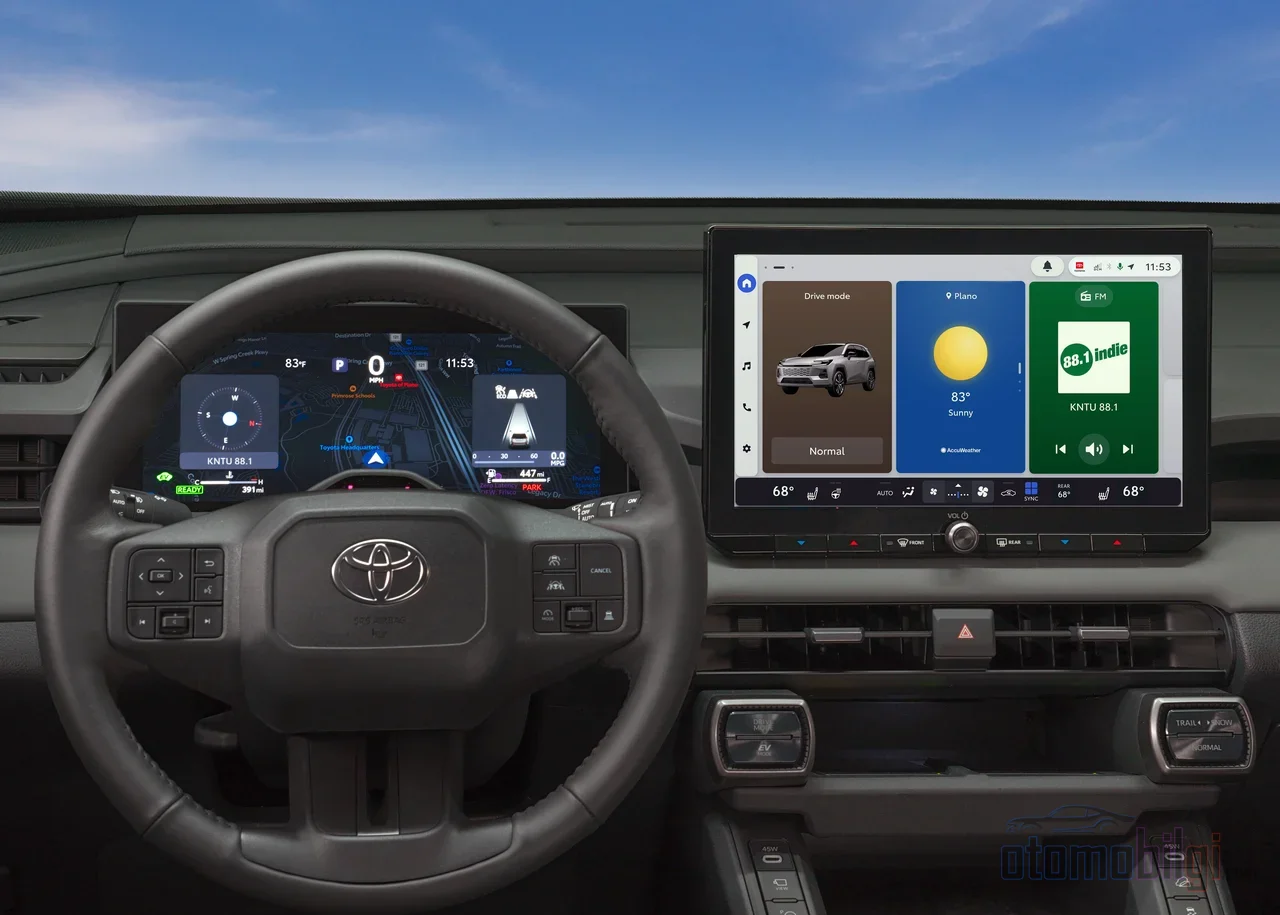
There are two classic ways of voice control: tapping the microphone icon next to the interface or pressing the button on the steering wheel. The funny part is this: behavior changes from vehicle to vehicle! Some Toyota BZ4X owners report that a long press activates the phone's voice recognition, while a short single press starts the vehicle system. On the Golf MK7 in Android Auto mode, a long press launches the phone's voice command. In a Nissan, you need to hold the voice command button to launch Siri. A Honda CR-V owner, on the other hand, uses the tap-and-release method; the command they give most often is adjusting the air conditioning temperature.
Whichever route you choose, voice control is safer than the touchscreen. Touchscreens distract the driver's attention; for most functions it is possible to avoid touching the screen while driving. There is also plenty of driver experience showing that voice commands are safer than buttons and touchscreens. Also remember: the car's external microphone picks up your voice, and voice responses come out of the vehicle's speakers. So once you have set the system up correctly, you can get by along the way without a single touch. And a practical tip: give specific commands. Instead of "Call John", say "Call John Smith's mobile"; speaking in a normal tone toward the microphone when the environment is quiet gives much better results than shouting.
What Should You Expect in Real Use? The Numbers Speak
What do people use these assistants for the most? The top three are quite fitting: playing a specific song, artist, or podcast; changing the radio station; and volume control. They are followed by searching, sending/receiving messages, and entering a destination into navigation. So in reality, nobody asks the car to gather tons of information; they ask it to play music and give directions. A pretty healthy relationship, if you ask me.
Also know that performance varies from city to city. Android Auto understood complex addresses in New York 91% correctly, Siri 84%; but both struggled in heavy traffic. In Los Angeles, the misunderstanding rate increased by 23% during rush hours. As traffic noise, horns, and general noise increase, recognition gets harder; that is completely natural. There is a reduction of up to 67% in the need for manual interaction; but while trying to correct a misunderstood command, your attention is once again split away from the road. So state your command clearly, and if it doesn't work, try again without panicking. Meanwhile, one physical reality: constant microphone listening and data transfer can consume 5-10% of your phone's battery per hour during navigation; don't forget to plug in the charging cable before a long trip.
Limits and the Privacy Side
Common limitations fall into three categories: network dependency, language and accent recognition issues, and road noise. Embedded systems offer better privacy and offline functionality; but they lack the complexity of cloud-based AI. This classic trade-off presents itself as a choice between a better assistant or a more private one. Privacy details matter too: Amazon Alexa stores recordings indefinitely by default, while Apple Siri processes commands on-device where possible, anonymizes cloud recordings, and offers a complete opt-out option. Android Auto keeps recordings to improve speech recognition but automatic deletion can be enabled. Under GDPR and CCPA, all major platforms offer the right to request data deletion within 30 days; if you're curious, just dive into the privacy settings.
Navigation and Media Control Kick In During Unexpected Situations
When it notices your fuel is running low, a command like "Navigate to the closest gas station" routes you to the nearest station; this command can even work offline. Volume control and changing radio stations are also among the most used functions; when traffic gets jammed, controlling media without taking your hands off the wheel is a lifesaver. Android Auto understands even natural phrases like "Avoid highways" in navigation and responds in an average of 2.3 seconds. Traffic, rain, fatigue - these are exactly the moments when the assistant shines brightest: simple, clear, and useful commands.
Tips for Living with a Voice Assistant in Your Car
First-generation car assistants were limited to fixed command lists that had to be phrased exactly right; modern AI-powered assistants broke that mold. Today embedded systems like BMW iDrive Intelligent Personal Assistant, Mercedes-Benz MBUX, Volkswagen IDA, and Skoda Laura with ChatGPT have also entered the scene; on the supplier side, Cerence continues its claim of understanding natural speech even in noisy environments. So the in-car assistant gets a bit smarter every year; but it's still too early to say it's "as chatty as the friend on your phone."
- Leave the basic tasks (search, climate, navigation, radio, texts) to the assistant; these can work offline too.
- Keep your data connection ready for complex questions and dynamic searches; these jobs want the cloud.
- Test how the steering wheel button behaves in your car once; a long press may do different things than a short press.
- Give commands specifically, and speak in a normal tone toward the microphone.
- Review your privacy settings during setup; viewing, deleting, or disabling recordings is up to you.
Summary: the in-car voice assistant isn't bad because it learns slowly; it's designed this way to be reliable. It's fast with simple commands, but only as flexible as your phone for complex tasks. If you know its limits, you can enjoy it without ever lifting your hands from the steering wheel.
Sources
- Change your settings for Assistant built into your car
- Choosing the Best In-Car Voice Assistant for Everyday Driving
- How to Control Android Auto or Apple CarPlay With Your Voice
- Android Auto: How It Works and Why You Need It
- Embrace the Future of Embedded Voice Control
- Embedded Implementation of Real-Time Voice Command Recognition
- Digital Voice Assistant in Car
- Using Voice Assistants Safely While Driving
- Android Auto Voice Commands: Best Uses & Fixes
- How Drivers are Actually Using Voice Assistants in Cars
- What is a Digital Voice Assistant in a Car?
- In-car voice control is finally getting good enough
- Voice Recognition Features - NissanConnect
- How to use voice control in the car
- 5 best in-car voice control systems
- Cerence Assistant
- The future of voice assistants
- Android Auto vs Apple CarPlay 2026
- Google Is Replacing the Voice Assistant in Your Car
- Automotive Voice Recognition System Market
- Android Auto and Apple CarPlay: What do they offer?