Wireless CarPlay and Android Auto: What to Expect on Your Car's Display?
Share This Page
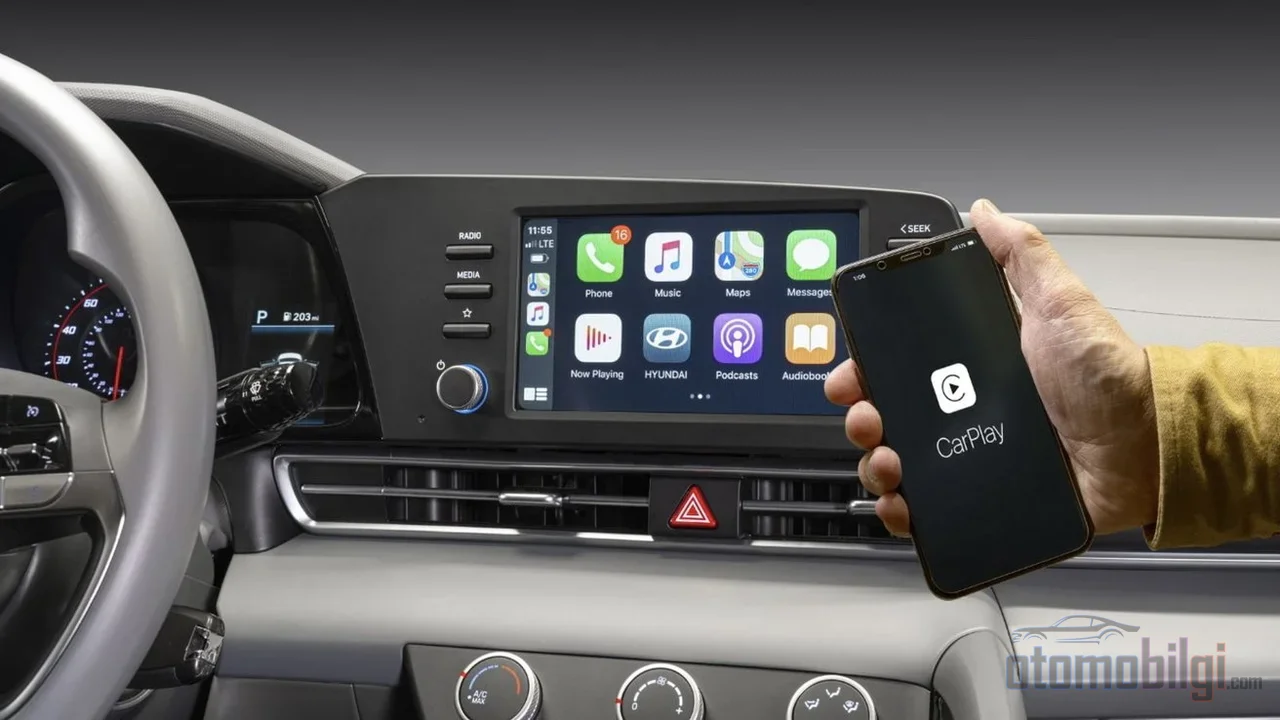
Wireless CarPlay and Android Auto are systems that let you use navigation, music and messaging on your car's screen without plugging your phone into a cable; they connect via Bluetooth pairing and transfer data over Wi-Fi. A wired connection is still more stable and charges your phone, while the wireless version offers freedom but comes with occasional drops and overheating issues. So which one suits you better? Let's take a look together!
Highlights
- The wireless connection works with the Bluetooth + Wi-Fi duo: pairing goes through Bluetooth, data passes over 5 GHz Wi-Fi.
- For wireless Android Auto, your phone needs at least Android 11 and 5 GHz Wi-Fi support.
- A wired connection charges your phone while driving; wireless drains the battery faster.
- CarPlay updates don't come as a separate app, they arrive with iOS updates.
- Many new vehicles now support OTA updates that fix issues through software.
How Do Wireless CarPlay and Android Auto Work?
Let's quickly go over the history first: Apple's in-car system idea was first announced in 2013 under the name "iOS in the Car" and later became CarPlay. The wireless version was introduced in 2015, but adoption was slow because it was initially offered only in premium vehicles. Android Auto is today compatible with more than 500 vehicle models; meaning these features are no longer the exclusive domain of luxury cars.
So how is the wireless connection established? Think of it like this: Bluetooth is like a doorbell - it recognizes you and opens the session. But the actual conversation runs over Wi-Fi; music, map data and screen images flow through this fast channel. In other words, your phone first pairs with the car via Bluetooth, then data transfer switches to the 5 GHz Wi-Fi band. Once the connection is established, it reconnects automatically on every trip; you start the car, and the screen wakes up on its own. That feeling is truly satisfying, I admit!
What are the requirements for a wireless connection?
Not every phone can connect wirelessly to every car. On the Android Auto side, Google's official requirements are clear: a compatible phone with an active data plan and 5 GHz Wi-Fi support are essential. Wireless projection also works with phones running Android 11.0 and above. If your phone doesn't meet these requirements, a wired connection is still an option; that's where the USB port does its job.
There's another detail worth knowing: wired and wireless CarPlay offer exactly the same interface. The difference isn't in how the screen looks, but in how the connection is established. So you don't need to change your design expectations for wireless - you need to adjust your expectations regarding stability and battery.
Wired or Wireless? Comparison
We can't give a one-sentence answer to this question like "this one is definitely better," because both sides have real advantages. The wired side, with the USB cable both carrying data and charging the phone, is the king of reliability. The wireless side offers the freedom of leaving your phone in your bag or on the back seat. Here's a real comparison of the two sides:
| Feature | Wired | Wireless |
|---|---|---|
| Connection | USB, instant and reliable | Automatic via Bluetooth + Wi-Fi |
| Charging | Charges while driving | Doesn't charge, battery drains faster |
| Latency | None | Occasional slight lag |
| Cable clutter | Yes | No |
One of the hidden advantages of a wired connection is sync audio quality; it offers a more consistent audio experience, including Lossless Audio support. With wireless, you should know that audio sync can occasionally break during app switching - most drivers don't notice it, but music lovers may feel something is off.
In short, heavy navigation users and long-distance drivers tend to prefer the wired side, while multi-driver households and short city trips favor the wireless side. There's also an interesting situation: if the car's processor is sufficient, there's no problem, but some infotainment systems can run more smoothly with a wired connection despite wireless being available. So the problem doesn't always come from the phone - the car can be blamed too!
Why Does the Connection Drop? Common Problems and Solutions
Yes, we've come to the bittersweet truth of the matter: setting up a wireless connection doesn't always work the way you want. The main culprits behind frequent disconnections are: unstable Wi-Fi connection, software and pairing issues, phone overheating, low-quality wireless adapters, and adapter-related glitches. On the wired side, the most common cause of disconnections is usually a faulty cable or a problematic USB port - yes, that cheap cable lying in your drawer could be the real culprit.
Be especially careful in hot weather: the phone heats up while working with both Wi-Fi and Bluetooth, and if you also charge it on top of a phone left in the sun, overheating becomes inevitable and the system can disconnect. Using a heat-resistant phone holder and cutting off charging while CarPlay is active significantly alleviates this situation. If you're going to use a cable, don't stray from a certified, high-quality one.
There are similar headaches on the Android Auto side too. The five common causes are:
- A weak USB cable that carries no data, only charges
- A loose or dusty, dirty USB port
- Outdated phone or car software
- The phone's battery optimization throttling the app in the background
- Temporary software glitches in the Bluetooth and Wi-Fi pairing
The good news: most of these problems can be fixed with a few settings. Removing the battery optimization restriction for Android Auto, disabling Adaptive Battery, clearing the app cache, or changing the advanced Bluetooth audio setting ended disconnections for many users. If you experience disconnections at the same spot on the same route every time, don't be surprised either; some drivers report this, and it's usually explained by wireless traffic in that area. Occasionally, updates can also mess things up - random wireless Android Auto disconnections after an update are known to happen. So "I updated, now everything's perfect" doesn't always work out.
What Do OTA Updates Do to Your Car?
In the past, a software fault in your car meant a visit to the dealership. Nowadays, many new vehicles fix bugs, improve performance, and even handle some safety recalls through software via an internet connection - that is, with OTA (over-the-air) updates. The car has started to be thought of as a kind of smart device; receiving software updates over the vehicle's own wireless network is now a standard feature.
Why does this matter for our topic? Because the CarPlay and Android Auto experience often depends on the vehicle's software. Concrete examples are very clear: with an OTA update, Lucid provided Apple CarPlay and Android Auto compatibility to owners free of charge. CarPlay also arrived via an OTA update in Volvo's new-generation vehicles. Land Rover promises stronger wireless connectivity and faster system performance through its updates.
But there is another side to the coin: the same update mechanism does not treat every brand equally. Toyota fixed a menu issue on the CarPlay side with an OTA update, but confirmed that it did not offer the same update for Android Auto users experiencing a similar problem. And remember, on the CarPlay side, updates come from the phone, not the car - CarPlay is not updated as a separate app; it is updated together with iOS updates. So you need to keep track of the software on both sides; while the car moves a step ahead, your phone may lag behind and the compatibility between them may break down.
Voice Assistants and Navigation: Talking to the Screen
What I love most about these systems is that you hardly have to use the screen while driving. You can control CarPlay from the car's touchscreen or directly with voice commands; thanks to Voice Control, it is also possible to control the interface and apps without touching anything. Apple's official positioning is exactly this: CarPlay is the way to use your iPhone smarter and safer while driving - navigation, calls, messaging, and music under one roof.
On the Android Auto side, things revolve around Google Assistant; voice commands for messaging, navigation, and music are standard here too. Google has announced that it is improving these voice commands with artificial intelligence - meaning the assistant misunderstands you less and less. Being able to say "open the way home" from behind the wheel without taking your hands off the phone is valuable both practically and in terms of safety.
When it comes to navigation, to be honest: the built-in navigation systems in cars cannot compete with phone-based maps when it comes to real-time traffic data. When you get stuck in an accident in traffic, the map that gets you out fastest is usually the one on your phone. So it is no coincidence that many people leave their car navigation "for emergencies" and use their phone's map through CarPlay or Android Auto.
Realistic Expectations: What Should You Want - and Not Want - from These Systems?
Let's first clarify the safety side: CarPlay and Android Auto are considered safer than manually using the app on your phone; hands-free controls reduce distraction. So these systems are less like entertainment gadgets and more like bridges that make your phone habits compatible with driving.
The two systems have different characters, though. CarPlay runs more smoothly; its interface is more controlled and minimal - this is both a feature and a limitation, because Apple's strict app approval means there are fewer apps on CarPlay. Android Auto, on the other hand, excels at multitasking: dismissible notification banners and persistent media controls make it easier to juggle several things at once. The question of which is "better" comes down entirely to usage habits - whatever your own phone is, that system usually feels more natural to you.
If your car only has wired CarPlay, don't panic. With an adapter or a module made specifically for your vehicle, wireless connectivity can be added; these offer advantages like a quick exit from the car, less cable clutter, automatic reconnection, and less wear on the USB port. However, a realistic warning is circulating in the community about them: adapters are less predictable than native wireless connectivity itself; if possible, use your car's own wireless support. If you're going to set up an adapter, your phone must be running Android 11 or higher and support wireless Android Auto. If you're not entirely fond of your car, installing a second-hand or new head unit is another route; as of 2026, most head units on sale support both CarPlay and Android Auto.
There's also a note about the future: Apple's new CarPlay vision includes a design that spans more screens and the instrument cluster. This screen-heavy experience may strain the bandwidth of wireless connectivity - meaning the wireless infrastructure may not be able to carry this ever-growing demand in every vehicle. The more screens, the more data; physics doesn't take a day off!
Conclusion: Plugging In a Cable Is Nothing to Be Ashamed Of
Wireless CarPlay and Android Auto are a wonderful convenience; connecting the moment you start the car, an experience free of cable hassle. But in return, you accept slight lag, faster battery drain, and the occasional dropped connection. If you take long trips, want your phone to always stay charged, or care about audio quality, a wired connection is still the most reliable route. In short, a verdict: using a cable is nothing to be ashamed of, and wireless isn't magic either - choose both knowingly.
Sources
- Wired vs. Wireless CarPlay: Which Is Better? (2026 Guide)
- Wired CarPlay vs. wireless - the pros and cons
- Get started with Android Auto
- Android Auto Vehicle Compatibility
- What Is Android Auto? A 2026 Guide
- Apple CarPlay
- OTA Car Software Updates
- Lucid Begins Rolling Out Apple CarPlay and Android Auto
- Land Rover Software Updates
- Android Auto Keeps Disconnecting
- Why Apple CarPlay Doesn't Work in Hot Weather
- Best Wireless Android Auto Adapter 2026