Does CarPlay and Android Auto Live on Your Phone or in the Car?
Share This Page
Most car apps run on the phone: CarPlay and Android Auto use the phone's processor and simply display the car's screen as a monitor. However, in built-in systems like Android Automotive OS, apps run directly on the car's own processor and operating system; in other words, the answer depends on the type of app and the car's architecture.
Highlights
- In CarPlay and Android Auto, the phone runs the software; the car's screen is only a display.
- Android Automotive OS is a full operating system that runs directly on the car's hardware.
- More than 800 vehicle models support CarPlay.
- During driving, apps like YouTube and Netflix are blocked on the CarPlay screen.
- Thanks to OTA updates, vehicle software can now stay up to date even after leaving the factory.
Do Car Apps Live on the Phone or in the Vehicle?
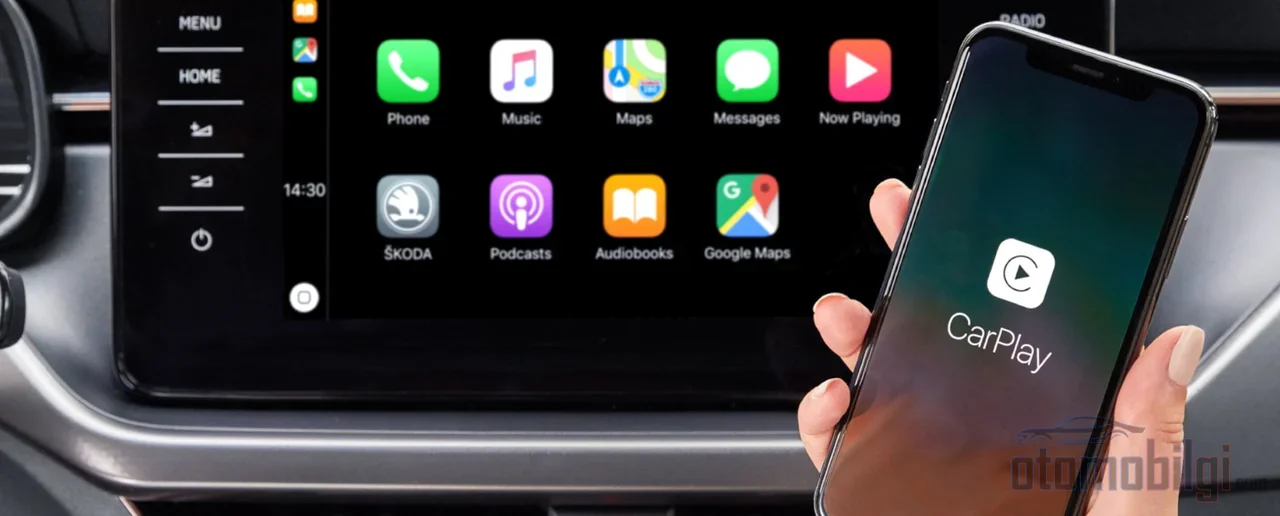
Admit it, have you ever looked at your car's screen and wondered, "where does this app actually run?" The answer is actually the story of two separate worlds. On one side, there are phone-based systems: Apple CarPlay and Android Auto. Here, the entire brain is your phone. The car just offers a nice screen; your taps and swipes are transmitted to the phone, and the interface comes from the phone again. In short, your car doesn't run the software, your phone does.
On the other side stand vehicle-based systems. Some cars have their own processor, their own memory, and their own operating system. In this architecture, apps run directly inside the car without ever asking the phone. Even if your phone's battery dies, navigation opens and music plays. So which system is advantageous when? Let's break it down step by step.
CarPlay and Android Auto: Not the Screen, the Phone
If you're looking to connect CarPlay to an app, let me stop you: CarPlay is not an app, it's a built-in part of the iPhone operating system. You don't need to install anything extra on your phone. It comes ready on all iPhone 5 and later models, and it's free to use. Setup is simple too: Siri must be on, you'll establish a USB cable or wireless connection (Wi-Fi + Bluetooth), and the car handles the rest.
So what happens behind the scenes? In CarPlay, the phone uses the car's screen almost like an external monitor. When you touch the screen, that touch goes to the phone, and the phone sends you back a simplified interface. Note that: this is not screen mirroring. CarPlay deliberately hides content that would distract you while driving; on the screen there is only a reduced interface designed for the car. Android Auto works with the same logic, offering navigation, music, calls and similar services as an extension of your phone.
- Navigation: Apps like Apple Maps, Google Maps, and Waze run from the phone.
- Music and radio: Spotify, Apple Music, and similar streaming apps come from the phone.
- Calls and messages: Siri can read incoming messages, and you reply using dictation.
- Blocked content: During driving, YouTube, Netflix, and games do not open on the screen.
The connection method also makes a difference. Wired CarPlay is the most stable option and it also charges your phone. In wireless mode, the first connection is established via Bluetooth, while the actual data transfer happens over Wi-Fi; there may be occasional small delays, and since the phone is not charging, it drains its battery faster. The logic on the data side is this: functions like music stored on the phone don't require internet, but navigation with live traffic, streaming, and Siri requests use your phone's cellular data plan.
There is also a next-generation development: CarPlay Ultra allows the driver's display to be customized alongside the central screen. As of 2026, it is available only in selected Aston Martin models; adoption by Hyundai, Kia, and Renault is expected. Apple is also gradually adding updates such as Car Key, which allows locking/unlocking the car with a phone.
Android Automotive OS: The Car's Own Brain
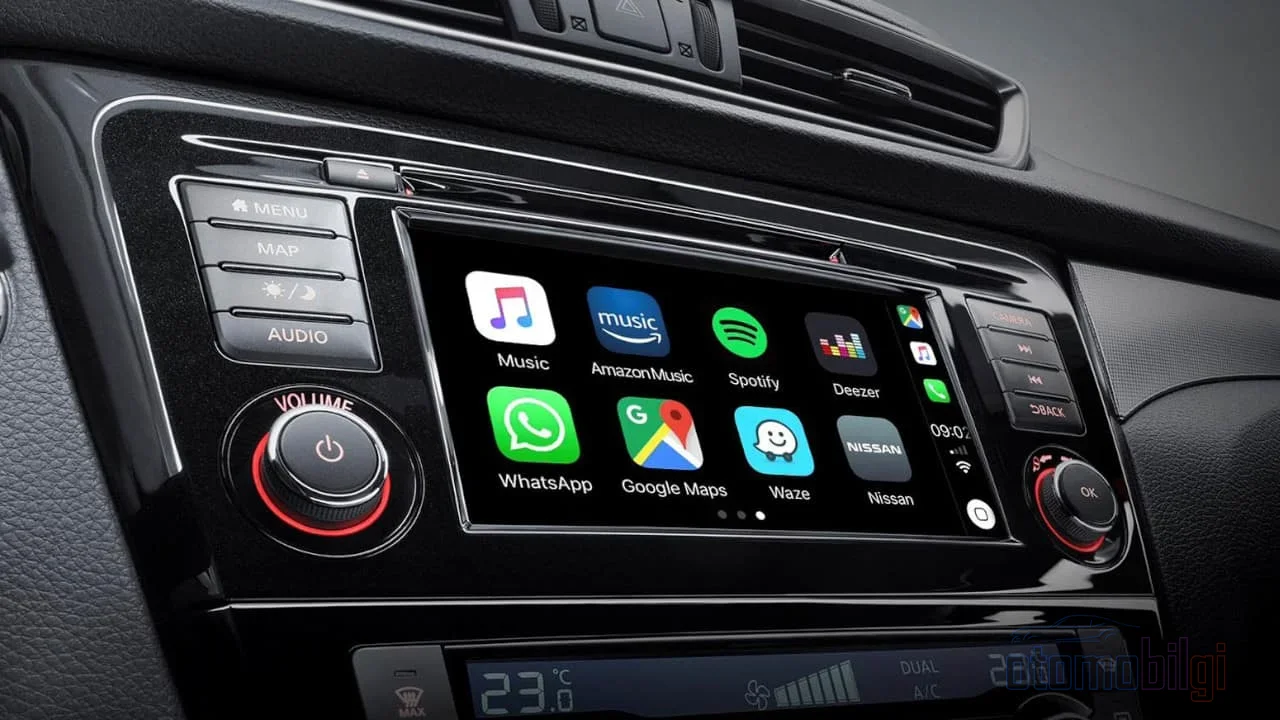
Now let the real star take the stage: Android Automotive OS. Although its name resembles Android Auto, the two are completely different things. While Android Auto is a phone software, Android Automotive is a full-stack, open-source, and highly customizable platform that runs directly on in-vehicle hardware. In other words, your car's infotainment system itself is Android; there is no need for a phone to step in.
In this architecture, apps actually run on the car's stereo system. Instead of relying on a connected phone, the system manages the app's operation itself. Think of it like a computer: the screen belongs to the car, the processor belongs to the car, and the operating system also belongs to the car. The phone becomes just an optional guest.
| Feature | CarPlay / Android Auto | Android Automotive OS |
|---|---|---|
| Where the software runs | Phone | The vehicle's own hardware |
| Role of the vehicle | Screen and input device | Full infotainment system |
| Is a phone required? | Yes | No |
| App source | Apps on the phone | Apps installed directly on the vehicle |
| Manufacturer customization | Limited | Highly possible |
And the virtual-world versions of built-in apps are just the beginning: some manufacturers can offer streaming with apps like Spotify and TuneIn installed on the vehicle itself. Even if you forget your phone under the seat, the car won't leave you empty-handed.
Mirroring or Embedded System?
Alongside CarPlay, there is also a "classic screen mirroring" option. Mirroring copies your phone's entire screen to the car, including apps that CarPlay doesn't allow. Sounds great, doesn't it? But here's the interesting part: CarPlay's limitations are actually a safety feature. With mirroring, cluttered, driving-unsuitable interfaces can flood the screen. Embedded systems, on the other hand, are designed to keep the driver more focused and better informed.
Consumers' hearts, meanwhile, generally lean toward mirroring systems: thanks to stronger visual appeal and usability, mirroring is far more preferred than embedded systems. My personal take? In everyday use, the simplified interface of CarPlay and Android Auto is much more comfortable than the chaos of full mirroring. Whichever side you choose, what matters is that the interface is designed for driving.
Instrument Cluster and HUD: More to See on Screen
Let's move beyond the center screen. The digital instrument cluster gathers the required vehicle data over communication networks such as CAN from specific ECUs and sensors. In other words, that sleek dial in front of you is actually presenting you with a live stream of data flowing from the car's internal network.
The head-up display (HUD) takes things a step further: it is a transparent screen that displays information without the driver having to look away from the road. A projector embedded in the dashboard sends a magnified, transparent image onto your windshield by bouncing it off a series of mirrors. Critical information like speed comes right into your line of sight; you read it without taking your eyes off the road. When technology is this elegant, I'm in awe of what humankind has achieved.
OTA Updates: How Does a Car Get Updated?
The apps on your phone get updated from the store, but what about cars? That's where OTA (over-the-air) updates come in: vehicle software is updated wirelessly over a network, usually by reprogramming the flash/nonvolatile memory in the vehicle. With the rise of software-defined vehicles, OTA keeps cars up to date and safe even after they leave the factory.
This is actually a superpower that architecture in a phone doesn't have. The scope of OTA is expanding rapidly: beyond bug fixes and new features, it now covers battery management and safety features as well. The automotive OTA market is projected to reach 22 billion dollars by 2034. For example, Hyundai announced that the Ioniq 5 now supports end-to-end OTA software updates.
But not every vehicle is so lucky. Not all manufacturers offer full OTA: in some vehicles, OTA covers only the infotainment system, and you need to go to the dealer for major updates. So before saying "my car gets OTA updates," it's worth checking what it actually covers. A little tip: adding wireless CarPlay after the fact is also possible. If your car has no CarPlay at all, a wireless-capable aftermarket head unit does the job; if it has wired CarPlay, a wireless adapter will do.
CarPlay, Android Auto, or Built-in System?
Time for the big comparison. While CarPlay offers a more consistent interface, Android Auto has a more open structure and a much wider selection of third-party apps. Android Auto typically provides more messaging support; CarPlay, thanks to its tight Apple integration, pulls ahead with Calendar and Apple Music. One more small detail: CarPlay uses horizontal scrolling, while Android Auto uses vertical. Whichever hand gesture feels more natural to you will shape your choice accordingly.
The debate between built-in navigation and phone-based maps is still going strong. A built-in system works independently of your phone and is fully integrated with the vehicle; phone-based apps, on the other hand, always bring up-to-date maps and familiar interfaces. My rule is simple: on long trips and in unfamiliar cities, I use phone-based navigation; for short commutes, I use my car's own system. Which one is your favorite? Let's talk in the comments!
Conclusion: Wherever the Brain Is, the Road Is Yours
In short: in the world of CarPlay and Android Auto, the apps live on your phone and the car is just a stylish window. In the world of Android Automotive OS, everything runs on the car's own processor and operating system. Thanks to OTA updates, whichever side you use, vehicle software is no longer doomed to dealer visits like before. The next time you tap your screen, you'll know who's working behind the scenes - and with this knowledge, you can make a more informed choice.
Sources
- Use CarPlay with your iPhone
- What Is Apple CarPlay? Features, Setup & Compatible Cars Explained
- What Is Apple CarPlay and How Does It Work?
- Android Automotive
- Android Automotive OS vs Android Auto: Key Differences
- The Android Automotive Deep Dive
- Android Apps vs CarPlay vs Android Auto
- Is Apple CarPlay an App?
- The digital cockpit: embedded navigation versus smartphone mirroring
- Report: Smartphone Mirroring for Connected Cars More Popular
- What Is a Digital Gauge Cluster & How It Works
- How Does a Head-Up Display Work?
- Head-Up Display: Why You Need It
- What Is OTA? A Comprehensive Guide
- How OTA Updates Power Software-Defined Vehicles
- Automakers Shift OTA Update Strategy
- Over-the-Air Software Updates
- What Device Is Actually Doing the Processing for CarPlay?
- Who Renders Android Auto or Apple CarPlay?